Remote control
How to Control Easy Multi Display With a Stream Deck?
The Elgato Stream Deck is a box with programmable keys. Paired with Easy Multi Display, it becomes a true physical remote control: each key triggers a scenario or a display action with a single press, without a keyboard or any complex handling. It’s a real asset for operators in a command room.
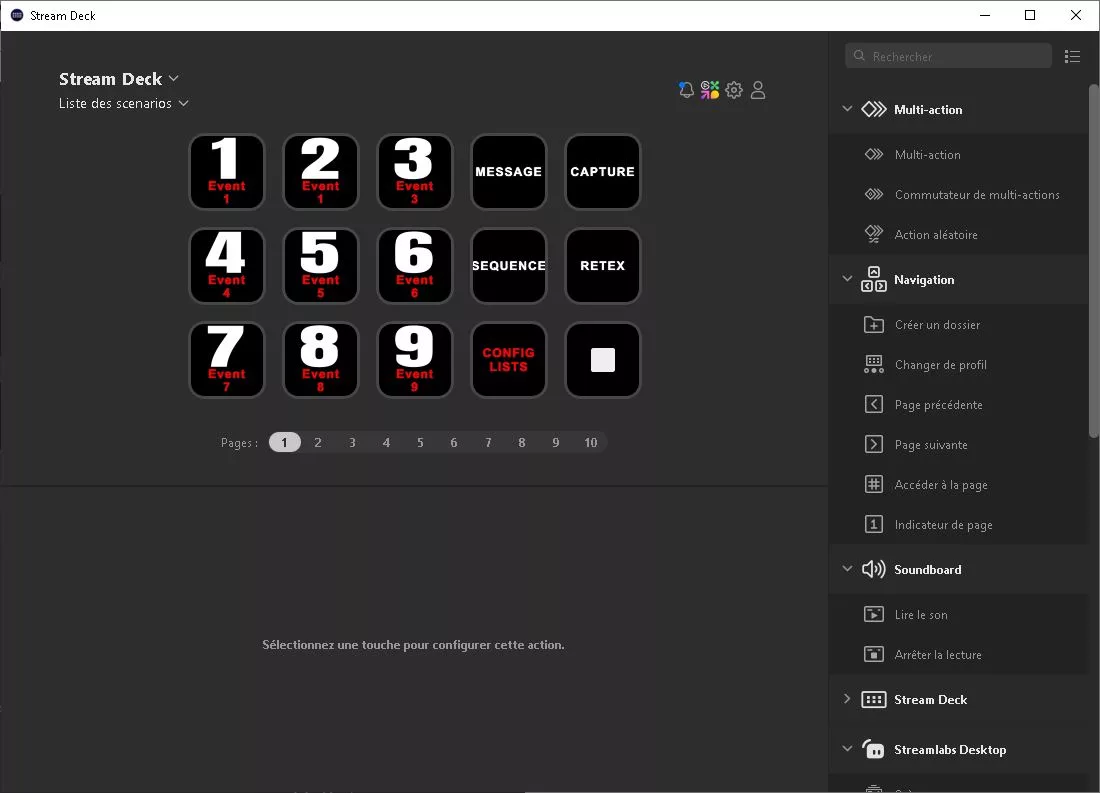

Here are the steps to set it up.
Step 1: have the right license
You need the “Control” Easy Multi Display license, which includes the remote control, or the free trial version to test how it works.
Step 2: get the Stream Deck
The Stream Deck is bought directly from Elgato or a reseller. Easy Multi Display does not sell it.
Step 3: download the Elgato software
Download the “Elgato Stream Deck” software from the official website: https://www.elgato.com/us/en/s/downloads
Step 4: install the Elgato software
Install the “Elgato Stream Deck” software on the computer (or laptop) that already hosts Easy Multi Display.
Step 5: import the Easy Multi Display profile
On that same computer, open the following folder:
C:\Program Files\EasyMultiDisplay
Look for a file with the .streamDeckProfile extension. As of today, only one profile is provided, but others may be offered later.
Select the profile, double-click it, then click the “Install” button to add it to the Elgato software.
Step 6: connect and activate the Stream Deck
Connect the Stream Deck to the computer, then set the Easy Multi Display profile as the default profile in the Elgato software. Your Stream Deck is then ready to serve as a remote control for Easy Multi Display.
Step 7: control from your phone (optional)
You can also link your phone to the computer via Bluetooth using the Elgato app. This lets you control Easy Multi Display from your mobile, even without the physical Stream Deck box.
Going further
A free trial version is available on our website. For any question about the “Control” license or integrating the Stream Deck into your command room, contact us.