Master
Your driving station. Compose, launch and control every wall and mosaic from one single interface.
HDMI multiview · crisis room
CollectivView displays PCs, cameras and web pages on your video walls. Built for crisis-room operators - not for IT specialists.
Maximum security
Between your sources and your walls, everything goes through HDMI and capture cards. No network cable, no stream passing through a sensitive information system.
That is the guarantee of total isolation.
NO NETWORK
BETWEEN THE SCREENS
HDMI + capture · total isolation
One driving station, walls that obey
Your driving station. Compose, launch and control every wall and mosaic from one single interface.
The driven screens. Each screen receives its wall, positioned automatically and synchronised in real time.
Multi-wall control view. Supervise and take back control of the Master directly from the mosaic.
Self-contained station. Everything on one machine, with no dependency - ideal for a small setup or a demo.
Key features
Up to 20 islands per station, full screen or four quadrants. Zoom and drag and drop.
Several high-definition feeds at once, with automatic source detection.
Plug in a source mid-session and it appears instantly. Unplug it, and CollectivView recalculates.
Websites, RDP, VNC, SSH, Telnet and QuickShare - displayed like any other source.
Save your configurations and switch between them instantly to match the situation.
One tap to enlarge an island, a double-tap for full screen. Large icons, no training required.
Wall layout
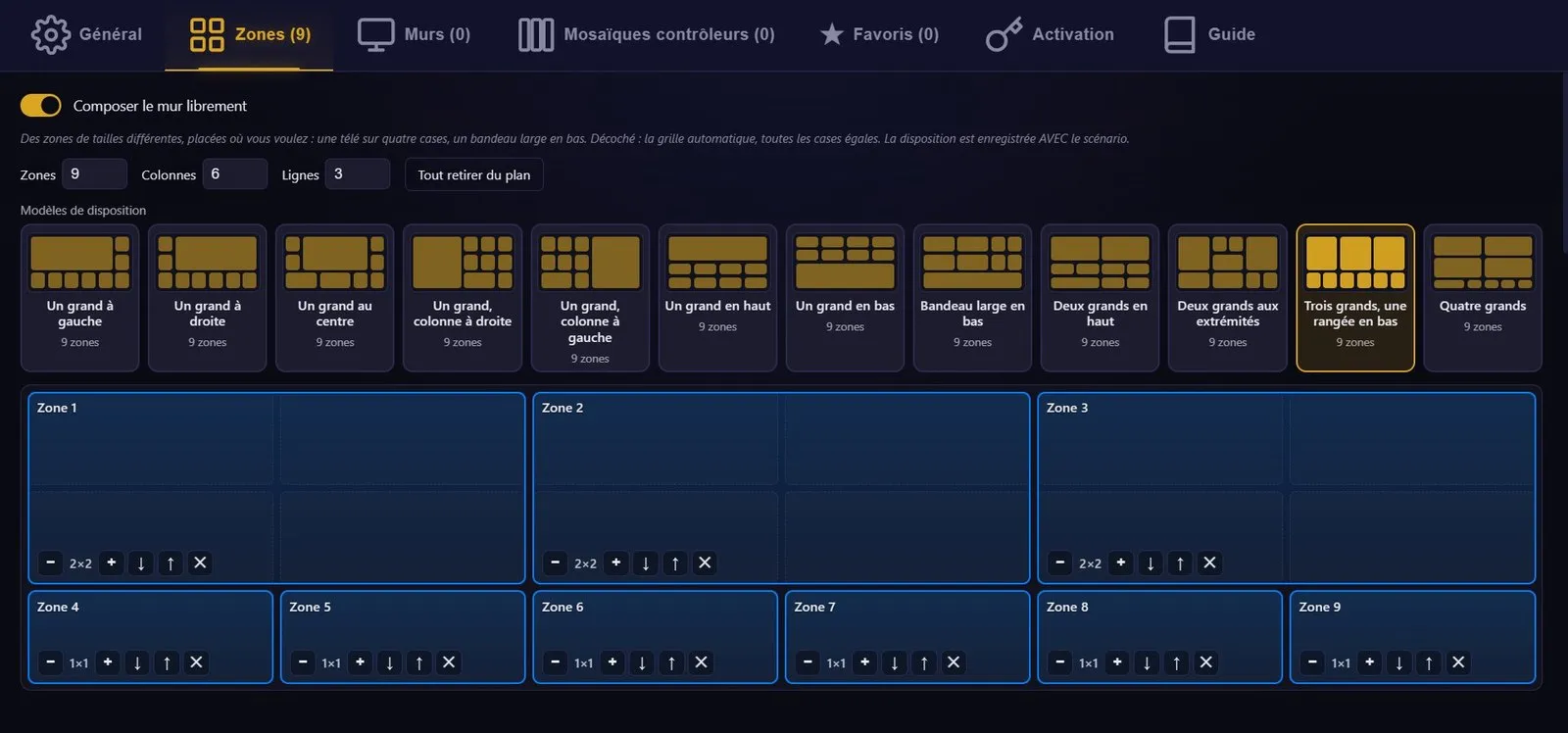
Not every source deserves the same space. The map deserves a quarter of the wall, six cameras make do with a thumbnail. Tick "Compose the wall freely" and you draw the layout yourself: it is saved with the scenario and goes out to the walls exactly as drawn, with nothing to recompute.
Alert detection
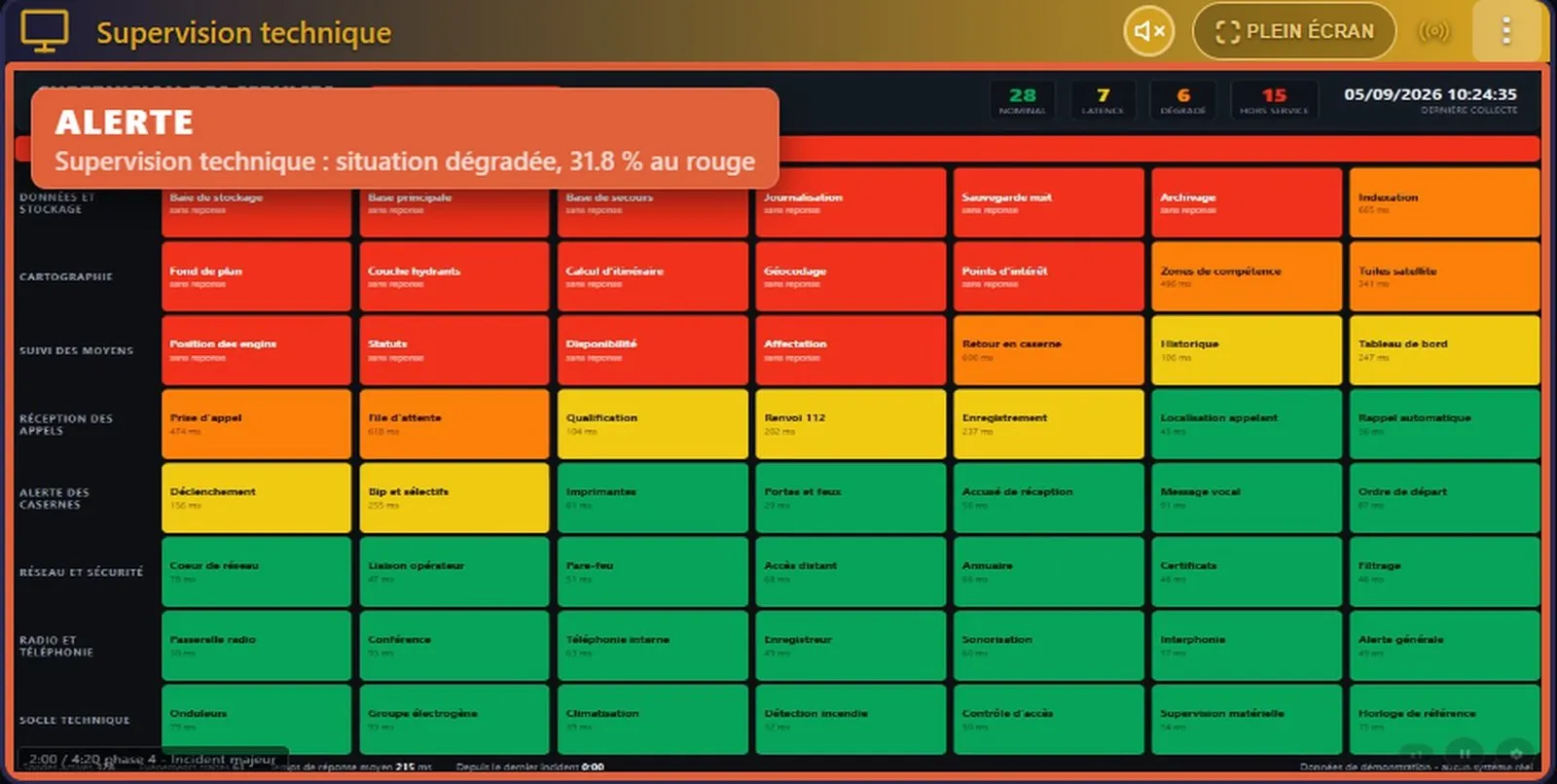
Nobody can stare at twelve screens for eight hours. You point out what matters on a source - a supervision dashboard, a camera, a mimic diagram, captured by a capture card or a network stream - and you set when it is time to react. The rest takes care of itself.
With no artificial intelligence: CollectivView measures colours and image changes. Everything is computed on the station, no image leaves the room.
What it can do
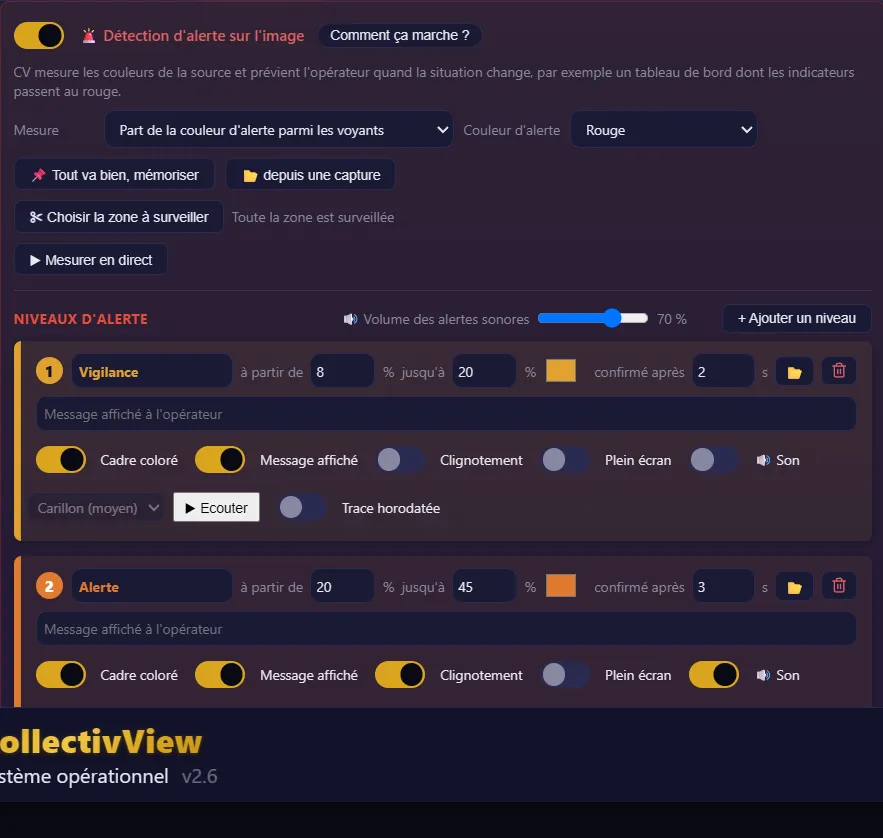
The share of the alert colour among indicator lights, the gap from a remembered normal situation, the share of that colour across the image, or the share of the zone that moves.
Draw a rectangle with the mouse: the door, the dashboard, the aisle. The rest of the image is ignored, backdrop included.
The frame flashes on the change, the message slides in, then everything calms and stays. An alert that flashes forever stops being seen.
A beep for watch, a siren for critical. The sound plays once, on the operator's station; the walls stay silent.
Acknowledgement counts for every wall. Four paths lead to it. The frame stays until the situation is back to normal: acknowledging is not clearing.
Only the driving station measures, the walls display. A dozen sources watched without loading the display machines.
Alert detection and people-counting make up the "Alert" option, at €911 excl. VAT - see pricing.
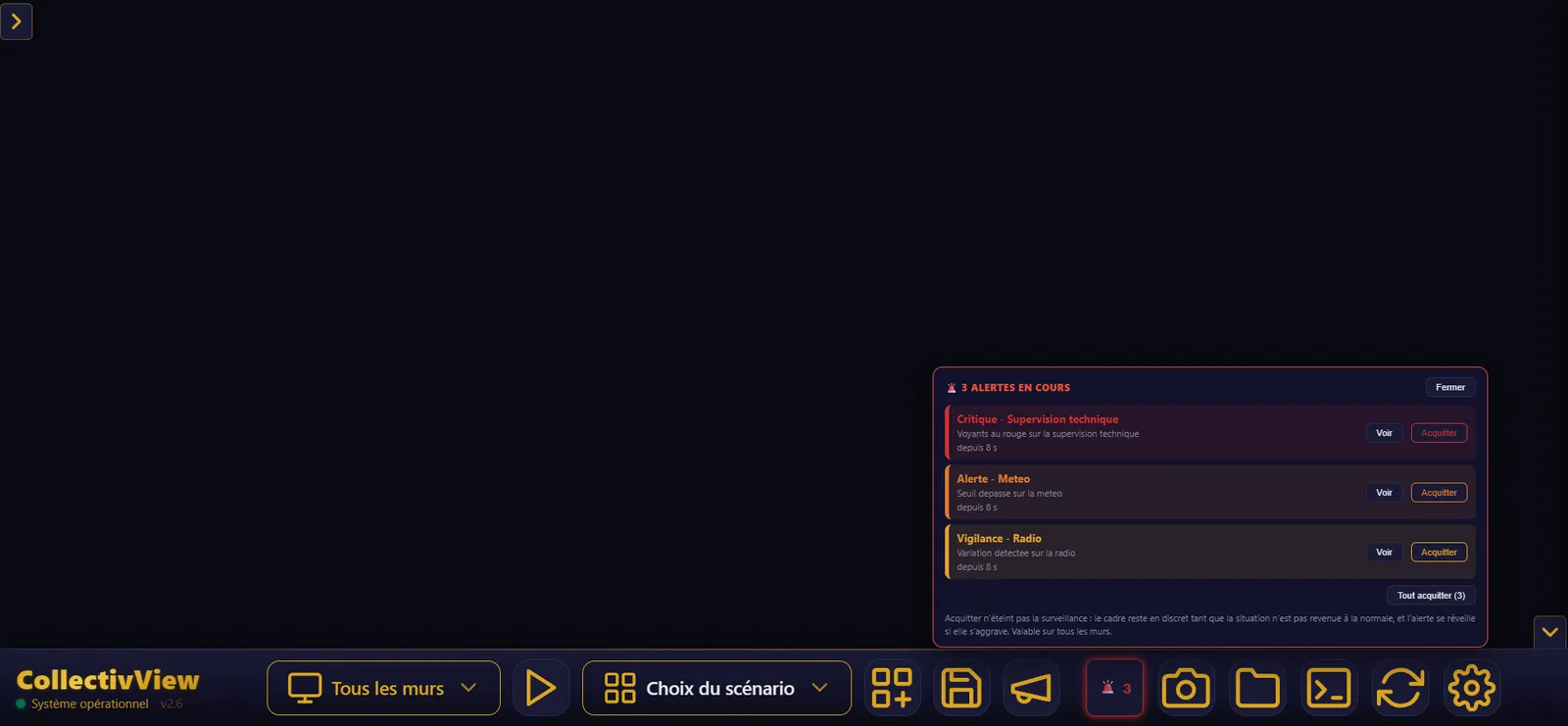
From event to record
Making a screen flash - plenty can do that. What matters at three in the morning is what comes next: who saw it, who is handling it, is it getting worse, when did it return to normal. CollectivView holds all six stages.
Measurement runs on the zone you outlined; the confirmation delay rules out the bird, the reflection, the page refresh.
Coloured frame, message band, level sound, full screen if needed. Loud and brief, then quiet and permanent.
A single alert takes the source to full screen. Several bring you back to the overview, with an "N zones on alert" banner.
"Seen, handling it": timestamped, valid on every wall, from the station, a wall or a tablet.
If it gets worse, the alert wakes up and returns to the strong signal. The return to normal is announced too, in green.
Dated entry in the log, timestamped capture and PDF report on the debrief side. The after-action review is prepared during the event.
Going further
Whether it comes from the image or from another system, the alert follows the same path to the operator. A generic HTTP entry point: Milestone can fire a call on a rule, Genetec works through event-to-action, an access-control or business application does the same - a few lines of configuration and the wall reacts. No proprietary connector to buy, no plugin to install, no SNMP or SMS.
At the critical level, the wall switches to the scenario you chose: the whole view adapts to the situation, as if the operator had loaded it. One checkbox, one scenario name.
The room supervisor types the instruction and shows it as a red banner across every wall, in one gesture, over whatever is displayed. Nothing leaves the machine: it is text on the walls of the room.

Built for urban CCTV control rooms
An urban CCTV control room (CSU) does not talk about a "crisis room". It clears the doubt, keeps the running log, works its video-protection feeds. CollectivView speaks that vocabulary - and does those gestures.
A report comes in: a camera goes full screen in a single gesture, the operator sees, decides, returns to the overview. No keyboard, no menu.
At night, an area outlined on a camera flags the slightest movement. And people-counting keeps an hourly record, read back in Excel.
Every capture is time-stamped, annotated, added to an official PDF report: enough to document an event while it unfolds, not three days later.
Video protection
We do not replace your video-protection software and we do not touch its network: the image arrives over HDMI through a capture card, isolated. And if you want the wall to react to an event, Milestone fires an HTTP call on a rule, Genetec works through event-to-action - one line of configuration, not a connector to buy.
HDMI
ISOLATED
your video-protection network stays with you
Let's be plain about it.
No licence-plate recognition, no facial recognition, no biometrics - not today, not as an option. CollectivView measures colours and movement, on an area you outline, and everything is computed on the machine: no image leaves the room. In a CCTV control room that is the data-protection officer's first question - here is the answer, before it is even asked.
Driven by an AI, if you want
CollectivView opens up to an assistant: you talk to it, it reads the wall's state, lists your scenarios and zones, loads a configuration, puts a source full screen, enlarges a quadrant, takes a capture. Eight convenience gestures, not one more.
The assistant can run on the machine, with a local model (Ollama, LM Studio): no data from the room ever leaves for the internet. CollectivView embeds no AI of its own - it exposes itself to the one you choose, online or local. And it cannot break anything: sensitive actions stay closed until a human opens them.
LOCAL AI
NOTHING LEAVES
a separate program talking to the station's API · Windows and Linux
Operation
A separate application, on another station: the room supervisor targets a wall by its name and drives it without standing at the machine, with zoom up to 200 % to read a detail on a 4K screen.
Over HDMI-CEC, CollectivView turns the wall screens on and off together with the station - no more walking round with remotes each morning. Pulse-Eight adapter required, option off by default.
Capture & debrief
During an operation, CollectivView remembers what was displayed: timestamped captures, annotations, video recording. Everything you need to feed the after-action review without reconstructing anything afterwards.
BUILT-IN DEBRIEF
captures · annotation · PDF report
Pricing
Perpetual licence, paid once, French support, €0 subscription. Compatible with Elgato, Blackmagic, Magewell, AVerMedia, Datapath.
The demo mode runs for 30 minutes per launch, with every function, and restarts as many times as you like: enough to set up a whole room before buying. It is not a counter that runs out.
The software shows a machine code, you send it to us, we send back a signed licence file (RSA 2048) that you drop in place. No server, no internet, no dongle - and with no expiry date, it is a licence for life.
No-commitment demonstration, tailored to your command & control room.